How do I get a free license?
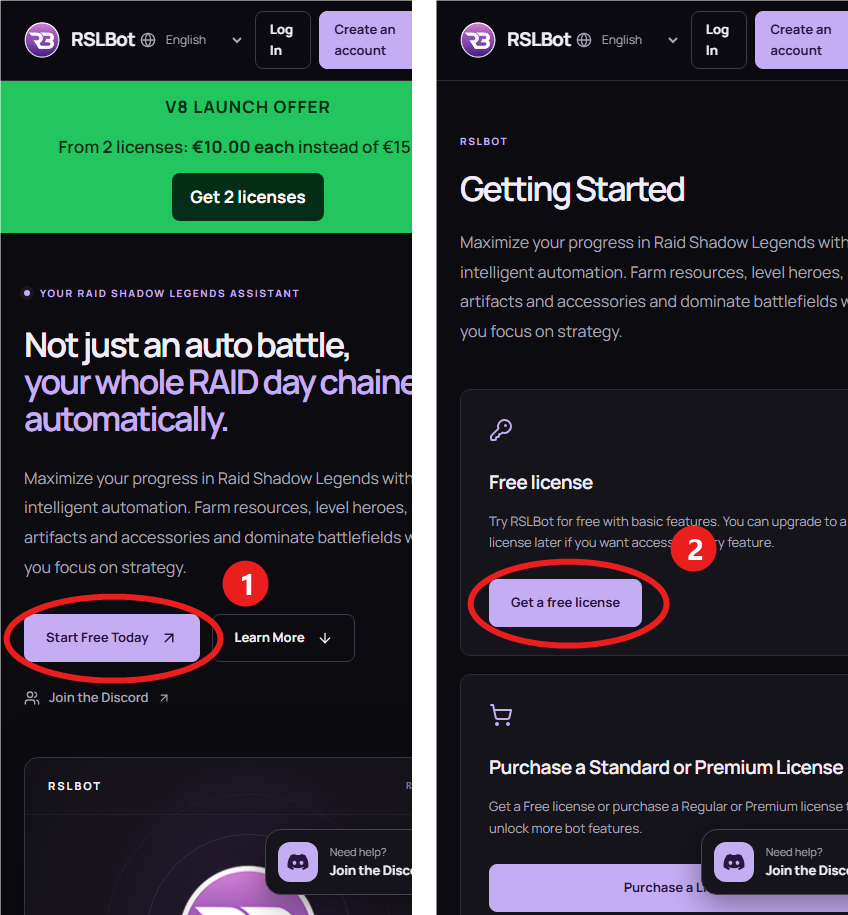
On a phone, the home page first shows the green V8 offer: the free license is just below it, scroll down.
- Open rslbot.com and scroll down below the green banner.
- Tap “Start Free Today” (1 in the picture).
- On the Getting Started page, in the Free plan, tap “Get a free license” (2). It is also at the top of the Purchase page.
- Log in, or create your RSLBot account if you do not have one yet. Link your Discord when the site asks for it.
- Your free license key is now in My licenses.
- Download the bot from Downloads, start it and log in with your account name and that license key.
Shortcut: the free license is also at rslbot.com/get-started.